

TP-Link
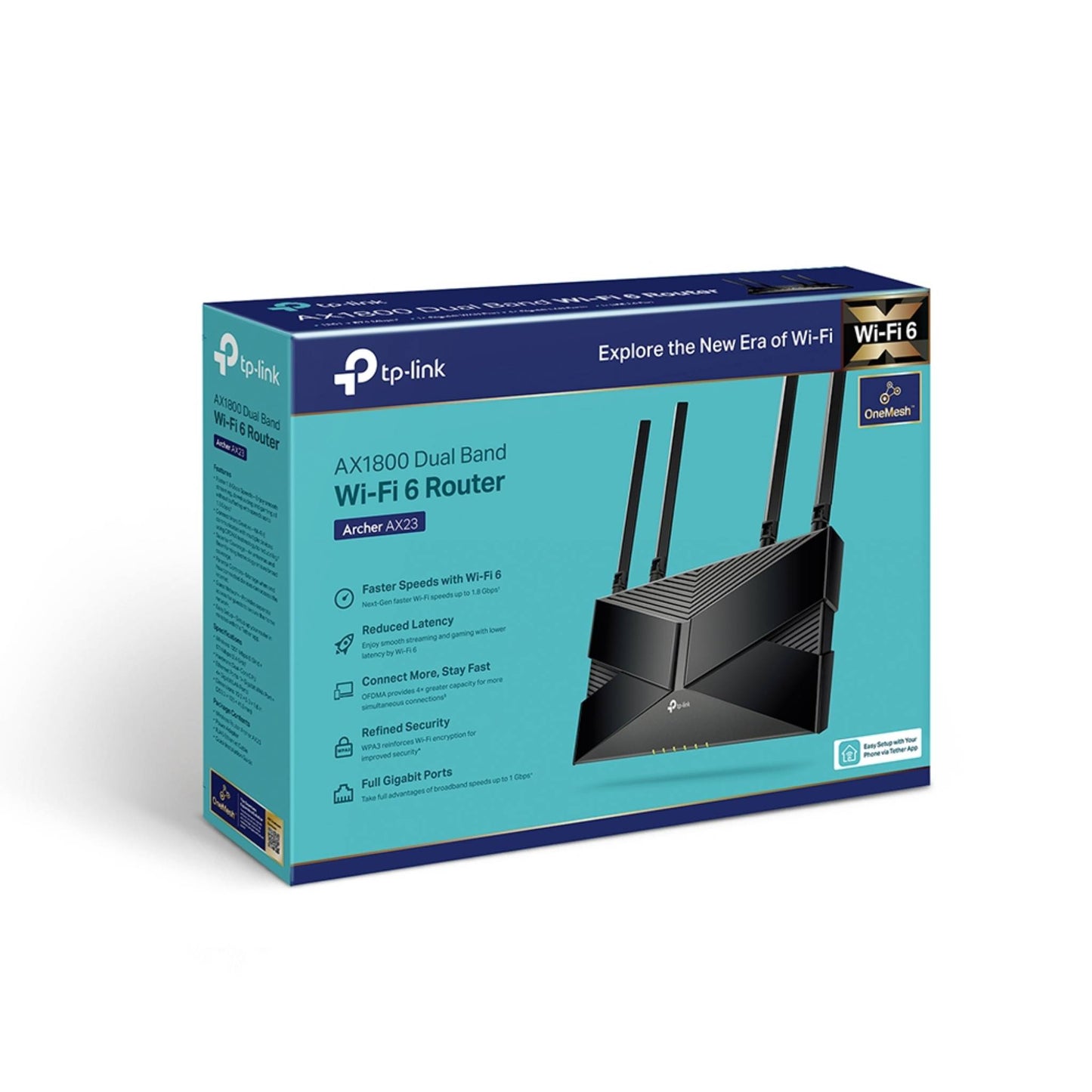
TP-Link Archer AX23 AX1800 Wi-Fi 6 Router | Dual-Band
TP-Link Archer AX23 AX1800 Wi-Fi 6 Router | Dual-Band
The TP-Link Archer AX23 AX1800 Dual-Band Wi-Fi 6 Router delivers ultra-fast 1.8 Gbps speeds for smooth 4K streaming and downloads, efficiently connects more devices using OFDMA to reduce lag, expands coverage through beamforming and high-performance antennas, runs on a next-gen high-efficiency chipset for fast and stable performance with lower power consumption, offers advanced free parental controls, works seamlessly with most ISPs including IPTV and L2TP/PPTP support, integrates with OneMesh for whole-home coverage and smooth roaming, enables quick setup via the TP-Link Tether app, and remains fully backward compatible with all existing Wi-Fi standards.
Couldn't load pickup availability

TP-Link Archer AX23 Wi-Fi 6 Router Specifications
IEEE 802.11ax/ac/n/a 5 GHz
IEEE 802.11ax/n/b/g 2.4 GHz
5 GHz: 1201 Mbps (802.11ax)
2.4 GHz: 574 Mbps (802.11ax)
4× Fixed High-Performance Antennas
Multiple antennas form a signal-boosting array to cover more directions and large areas
Allocate devices to different bands for optimal performance
Airtime Fairness
Improves network efficiency by limiting excessive occupation
4 Streams
Connect your devices to more bandwidth
1× 2.4 GHz Guest Network
- OpenVPN Client
- PPTP VPN Client
- WireGuard VPN Client
4× Gigabit LAN Ports
Without replacing your existing devices or buying a whole new WiFi ecosystem, OneMesh™ helps you create a more flexible network that covers your entire home with TP-Link OneMesh™ products.
Learn More>
All OneMesh Products>
Mesh networking creates smooth, fast, stable roaming. Archer AX23 can flexibly build an EasyMesh network with EasyMesh-Compatible devices, which eliminates Wi-Fi dead zones, expand your network, and fill your entire home with high-speed Wi-Fi. Seamless Wi-Fi connections with one network name, one-click setting and flexible scalability.
Learn More>
Manage and configure device through web (HTTP/HTTPS)
• Port: 80/443 Protocol: TCP
DNS
DNS
• Port: 53 Protocol: TCP & UDP
DHCP Server
IP address assignment (DHCP)
• Port: 67 Protocol: UDP
App management
Manage and configure device through app
• Port: 20001 Protocol: TCP
• Port: 30001 Protocol: TCP
• Port: 20002 Protocol: UDP
Cable or DSL Modem (if needed)
Subscription with an internet service provider (for internet access)
Storage Temperature: -40℃~70℃ (-40℉ ~158℉)
Operating Humidity: 10%~90% non-condensing
Storage Humidity: 5%~90% non-condensing
<20dBm(2.4 GHz)
<23dBm(5.15 GHz~5.25 GHz)
FCC:
<30dBm(2.4 GHz & 5.15 GHz~5.825 GHz)
5G:
11a 6Mbps: -96dbm
11a 54Mbps: -75dbm
11ac VHT20_MCS0: -95dbm
...
2.4G:
11g 6Mbps: -96dbm
11g 54Mbps: -75dbm
11n HT20_MCS0: -95dbm
...
US Version
5G:
11a 6Mbps: -96dbm
11a 54Mbps: -75dbm
11ac VHT20_MCS0: -95dbm
...
2.4G:
11g 6Mbps: -96dbm
11g 54Mbps: -75dbm
...
(260.2 × 135.0 × 38.6 mm)
• Power Adapter
• RJ45 Ethernet Cable
• Quick Installation Guide
For additional version information, please go to the support page.
Notes:
†Maximum wireless signal rates are the physical rates derived from IEEE Standard 802.11 specifications. Actual wireless data throughput, wireless coverage and number of connected devices are not guaranteed and will vary as a result of network conditions, client limitations, and environmental factors, including building materials, obstacles, volume and density of traffic, and client location.
‡Use of 802.11ax (Wi-Fi 6), and features including OFDMA and 1024-QAM requires clients to also support corresponding features.
§The 802.11ax white paper defines standardized modifications to both the IEEE 802.11 physical layers (PHY) and the IEEE 802.11 Medium Access Control (MAC) layer as enabling at least one mode of operation capable of supporting the improvement of at least four times the average throughput per station (measured at the MAC data service access point) in a dense deployment scenario.
△Saving clients' battery power requires clients to also support the 802.11ax Wi-Fi standard. Actual power reduction may vary as a result of network conditions, client limitations, and environmental factors.
*Use of WPA3 requires clients to also support WPA3.
**This router may not support all the mandatory features as ratified in the IEEE 802.11AX specification.
***Further software upgrades for feature availability may be required.