

TP-Link
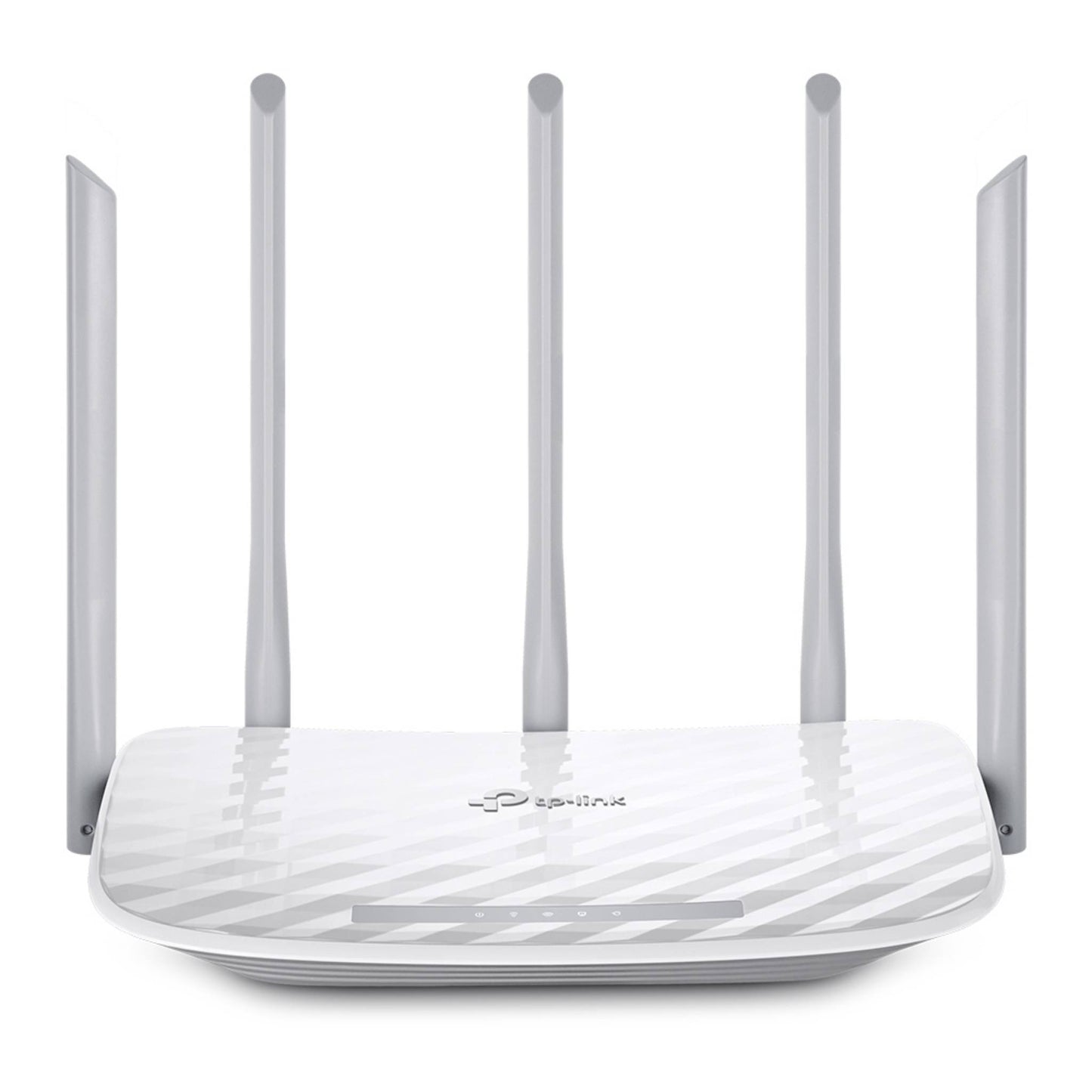
TP-LINK C60 AC1350 Dual Band Wi-Fi Router | High-Speed Wireless Access Point
TP-LINK C60 AC1350 Dual Band Wi-Fi Router | High-Speed Wireless Access Point
Regular price
17.000 BHD
Regular price
22.000 BHD
Sale price
17.000 BHD
Shipping calculated at checkout.
The TP-LINK C60 AC1350 Dual Band Access Point & Wi-Fi Router delivers powerful wireless performance with combined speeds up to 1350Mbps. Equipped with multiple antennas, beamforming technology, parental controls, guest network support, and simple management through the TP-LINK Tether app, it ensures fast, reliable coverage for homes and offices.
Quantity
Couldn't load pickup availability

TP-Link Archer C60 AC1350 Wi-Fi Router Specifications
Dual Band Wireless Router with 5× Fixed Antennas
WIRELESS
Standards and Protocols
Wi-Fi 5
IEEE 802.11ac/n/a 5 GHz
IEEE 802.11n/b/g 2.4 GHz
IEEE 802.11ac/n/a 5 GHz
IEEE 802.11n/b/g 2.4 GHz
WiFi Speeds
AC1350
5 GHz: 867 Mbps (802.11ac)
2.4 GHz: 450 Mbps (802.11n)
5 GHz: 867 Mbps (802.11ac)
2.4 GHz: 450 Mbps (802.11n)
WiFi Range
3 Bedroom Houses
5× Fixed Antennas: Signal-boosting array
Beamforming: Concentrates signal strength
5× Fixed Antennas: Signal-boosting array
Beamforming: Concentrates signal strength
WiFi Capacity
Medium
Dual-Band: Optimal device allocation
MU-MIMO: Simultaneous multi-client communication
Dual-Band: Optimal device allocation
MU-MIMO: Simultaneous multi-client communication
Working Modes
Router Mode
Access Point Mode
SECURITY
Network Security
SPI Firewall, Access Control,
IP & MAC Binding, Application Layer Gateway
IP & MAC Binding, Application Layer Gateway
Guest Network
1× 5 GHz Guest Network
1× 2.4 GHz Guest Network
1× 2.4 GHz Guest Network
VPN Server
OpenVPN
PPTP
WiFi Encryption
WEP
WPA
WPA2
WPA/WPA2-Enterprise
HARDWARE
Processor
Qualcomm CPU
Ethernet Ports
1× 10/100 Mbps WAN Port
4× 10/100 Mbps LAN Ports
4× 10/100 Mbps LAN Ports
Buttons
Wi-Fi On/Off Button
Power On/Off Button
WPS/Reset Button
Power On/Off Button
WPS/Reset Button
Power
12 V ⎓ 1 A
SOFTWARE
Protocols
IPv4
IPv6
Parental Controls
URL Filtering
Time Controls
Time Controls
WAN Types
Dynamic IP
Static IP
PPPoE
PPTP
L2TP
Quality of Service
QoS by Device
Cloud Service
OTA Firmware Upgrade
TP-Link ID
TP-Link ID
NAT Forwarding
Port Forwarding
Port Triggering
DMZ
UPnP
IPTV
IGMP Proxy
IGMP Snooping
Bridge
Tag VLAN
DHCP
Address Reservation
DHCP Client List
Server
DHCP Client List
Server
DDNS
TP-Link
NO-IP
DynDNS
Management Features
Tether App
Webpage
Check Web Emulator
OTHER
System Requirements
IE 11+, Firefox 12.0+, Chrome 20.0+, Safari 4.0+
Cable or DSL Modem
Internet service provider subscription
Cable or DSL Modem
Internet service provider subscription
Certifications
FCC
CE
RoHS
Environment
Operating: 0℃~40℃ (32℉~104℉)
Storage: -40℃~70℃ (-40℉~158℉)
Humidity: 10%~90% non-condensing
Storage: -40℃~70℃ (-40℉~158℉)
Humidity: 10%~90% non-condensing
TEST DATA
WiFi Transmission Power
CE EIRP:
<20dBm (2.4GHz)
<23dBm (5GHz)
FCC:
<30dBm (2.4GHz & 5GHz)
<20dBm (2.4GHz)
<23dBm (5GHz)
FCC:
<30dBm (2.4GHz & 5GHz)
WiFi Reception Sensitivity
5GHz:
11a 6Mbps: -93dBm
11a 54Mbps: -78dBm
2.4GHz:
11g 54Mbps: -78dBm
11a 6Mbps: -93dBm
11a 54Mbps: -78dBm
2.4GHz:
11g 54Mbps: -78dBm
PHYSICAL
Dimensions (W×D×H)
9.1 × 5.7 × 1.5 in
(230 × 144 × 37 mm)
(230 × 144 × 37 mm)
Package Content
Wi-Fi Router Archer C60
Power Adapter
RJ45 Ethernet Cable
Quick Installation Guide
Power Adapter
RJ45 Ethernet Cable
Quick Installation Guide
Important Note:
*Maximum wireless signal rates are the physical rates derived from IEEE Standard 802.11 specifications. Actual wireless data throughput and wireless coverage are not guaranteed and will vary as a result of 1) environmental factors, including building materials, physical objects, and obstacles, 2) network conditions, including local interference, volume and density of traffic, product location, network complexity, and network overhead, and 3) client limitations, including rated performance, location, connection, quality, and client condition.