

Omada by TP-Link
TP-Link Omada Pro C5300 Hardware Controller | Centralized Network Management
TP-Link Omada Pro C5300 Hardware Controller | Centralized Network Management
The TP-Link Omada Pro C5300 Hardware Controller provides powerful centralized network management for businesses of all sizes. Manage up to 100 Omada Pro Access Points, 20 Omada Pro Switches, and 10 Omada Pro Routers from a single hardware controller. Featuring free cloud access, local on-premises management, real-time network monitoring, batch configuration, and multi-site management, the C5300 simplifies enterprise network deployment and maintenance.


C5300 Omada Pro
Hardware Controller | Centralized management for Omada Pro SDN — Detailed technical specifications
Hardware Features
Interface
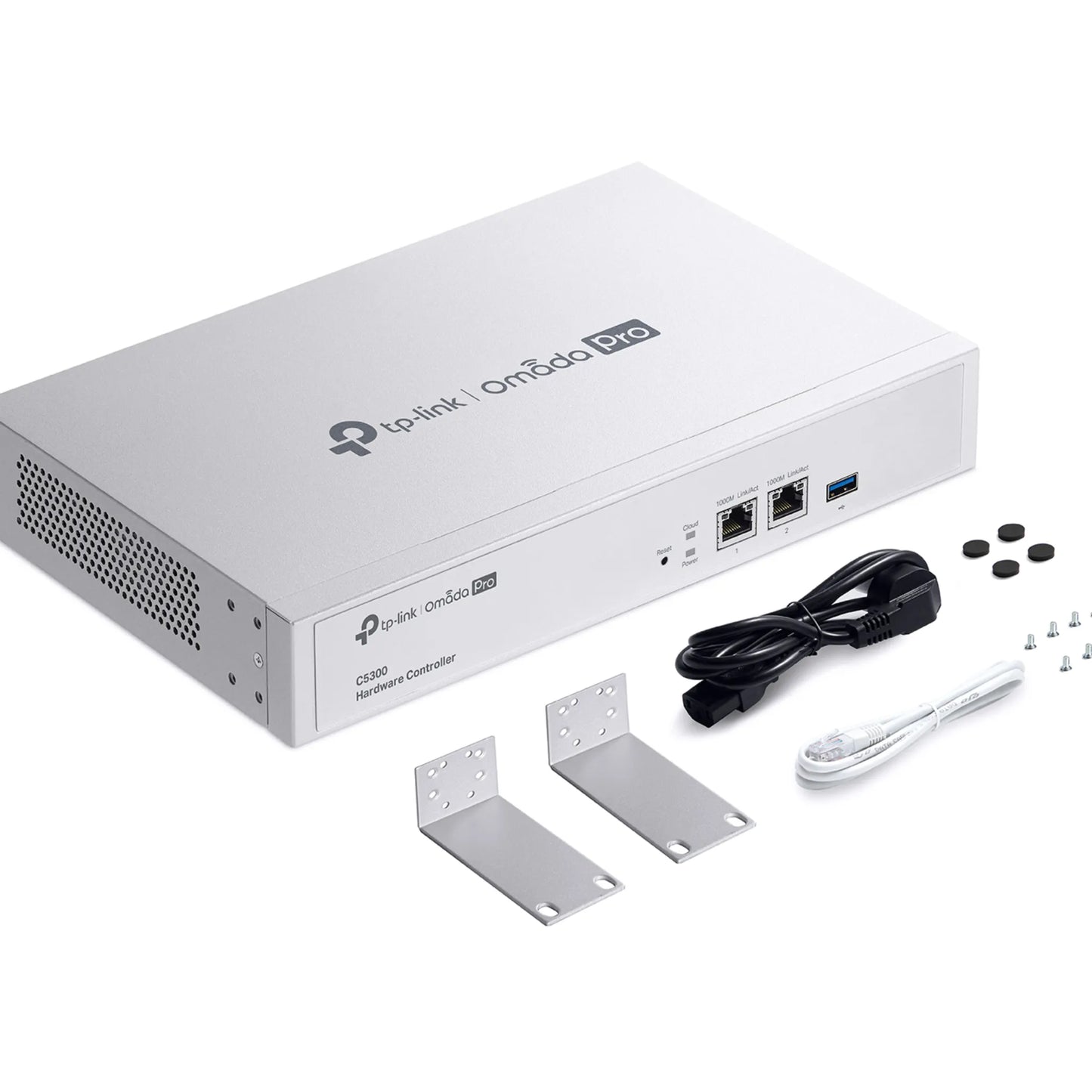
2× Gigabit Ethernet Ports · 1× USB 3.0 Port
Button
1× Reset Button
Power Supply
100–240 V~50/60 Hz, 0.6 A
Dimensions (W x D x H)
11.6 × 7.1 × 1.7 in (294 × 180 × 44 mm)
Management Features
Omada App
Yes
Centralized Management
Up to 100 Omada Pro access points, 20 Omada Pro switches, and 10 Omada Pro routers
Cloud Access
Yes
L3 Management
Yes
Multi-site Management
Yes
Management Features
Device Automatic Discovery · Batch Configuration · Online Upgrade · Reboot Schedule · PoE Schedule · WLAN Schedule · DDNS · SNMP · SSH · WEBHOOK · Open API
Others
Certification
CE, FCC, RoHS
Package Content
Omada Pro Hardware Controller C5300 · Quick Installation Guide · Ethernet Cable · Power Cord · Rackmount Kit
System Requirements
Microsoft Windows 10/8/7/Vista/XP · macOS · NetWare · UNIX · Linux
Environment
Operating: 0–50 ℃ (32–122 ℉) · Storage: -40–70 ℃ (-40–158 ℉) · Humidity: 10–90% RH non-condensing